Now Reading: MacBook vs PC: Choosing the Best Option
-
01
MacBook vs PC: Choosing the Best Option
MacBook vs PC: Choosing the Best Option
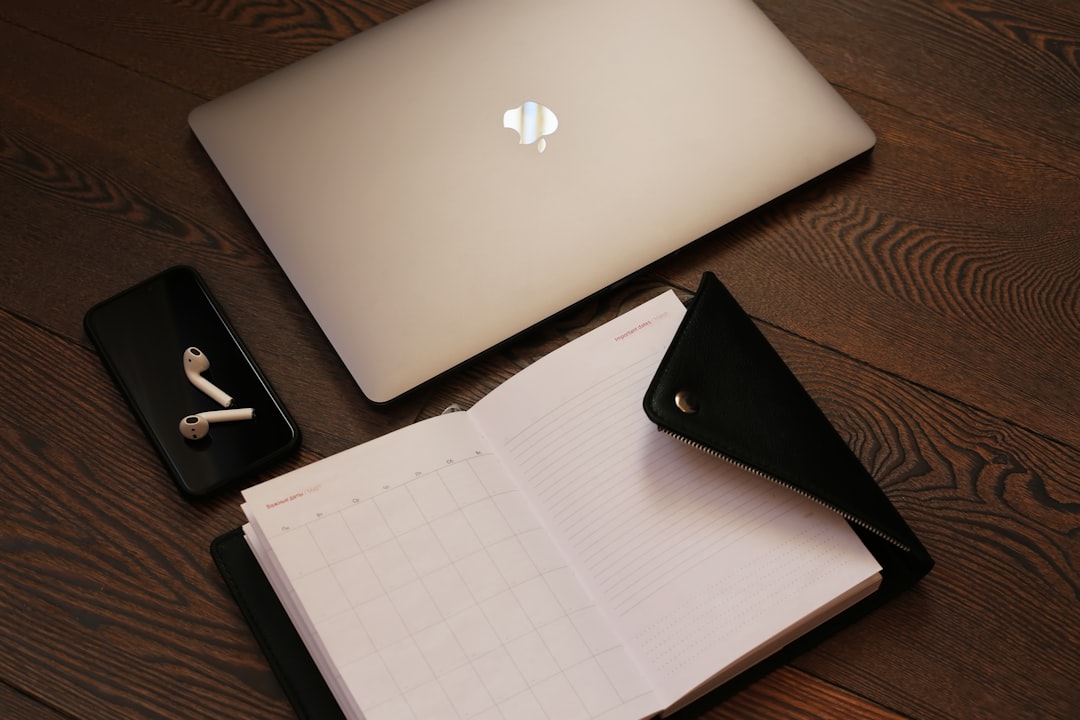
In the realm of personal computing, the debate between MacBook and PC has persisted for decades, with each platform boasting its own unique advantages and disadvantages. The choice between these two types of devices often hinges on individual preferences, specific use cases, and budgetary constraints. MacBooks, developed by Apple Inc., are renowned for their sleek design, robust operating system, and seamless integration with other Apple products.
Conversely, PCs, which encompass a wide range of manufacturers and configurations, offer unparalleled flexibility, customization options, and a diverse software ecosystem. Understanding the fundamental differences between MacBooks and PCs is essential for consumers looking to make an informed decision. This article will delve into various aspects of both platforms, including design, operating systems, performance, software compatibility, customization options, pricing, customer support, security features, and overall user experience.
By examining these factors in detail, potential buyers can better assess which device aligns with their needs and preferences.
Key Takeaways
- MacBook and PC have key differences in terms of design, operating system, performance, software compatibility, customization, price, customer support, security, and user experience.
- MacBook is known for its sleek and premium design, while PC offers a wide range of design options and build qualities.
- macOS and Windows have distinct features and user interfaces, catering to different user preferences and needs.
- MacBook is praised for its performance and speed, while PC offers a variety of hardware options for different performance needs.
- Software availability and compatibility with external devices vary between MacBook and PC, catering to different user requirements.
Design and Build Quality: Comparing the aesthetics and durability of MacBook and PC
When it comes to design and build quality, MacBooks are often lauded for their minimalist aesthetic and premium materials. Apple employs high-grade aluminum in the construction of its laptops, resulting in a lightweight yet sturdy chassis that exudes elegance. The unibody design not only enhances durability but also contributes to a sleek profile that appeals to many users.
Additionally, MacBooks feature high-resolution Retina displays that provide vibrant colors and sharp images, making them ideal for creative professionals who require precise visual fidelity. In contrast, PCs vary significantly in design due to the multitude of manufacturers involved in their production. While some brands prioritize aesthetics and build quality—such as Dell’s XPS series or Lenovo’s ThinkPad line—others may focus on cost-effectiveness, resulting in less durable materials.
The diversity in design means that consumers can find PCs that suit their personal style and functional requirements. However, this variability can also lead to inconsistencies in build quality across different models.
Operating System: Exploring the differences between macOS and Windows

The operating system is a critical component that distinguishes MacBooks from PCs. MacBooks run on macOS, a Unix-based operating system known for its stability, security, and user-friendly interface. macOS is designed to work seamlessly with Apple’s ecosystem of devices, allowing for features such as Handoff, AirDrop, and iCloud integration.
This cohesive environment enhances productivity for users who own multiple Apple products. On the other hand, PCs predominantly operate on Microsoft Windows, which holds a significant market share in the personal computing landscape. Windows is known for its versatility and compatibility with a vast array of software applications.
The operating system supports a wide range of hardware configurations, making it suitable for various use cases—from gaming to business applications. However, Windows can be more susceptible to malware and security vulnerabilities compared to macOS, necessitating robust antivirus solutions for users.
Performance and Speed: Analyzing the hardware and processing power of MacBook and PC
| Metrics | MacBook | PC |
|---|---|---|
| Processor | Apple M1 chip | Intel Core i7 |
| RAM | 8GB or 16GB unified memory | 8GB or 16GB DDR4 |
| Storage | 256GB, 512GB, 1TB, or 2TB SSD | 256GB, 512GB, 1TB, or 2TB SSD/HDD |
| Graphics | Integrated 7-core or 8-core GPU | Integrated Intel UHD Graphics or dedicated NVIDIA/AMD GPU |
| Display | Retina display with True Tone | Various options, including FHD, QHD, or 4K resolution |
| Weight | 2.8 lbs (13-inch) or 3.0 lbs (16-inch) | Varies depending on model and size |
Performance is a crucial factor when evaluating MacBooks versus PCs. Apple has made significant strides in optimizing hardware and software integration within its devices. The introduction of Apple’s M1 chip marked a paradigm shift in performance capabilities for MacBooks.
This ARM-based architecture delivers impressive processing power while maintaining energy efficiency, resulting in longer battery life and faster performance across various applications. Conversely, PCs offer a broader range of hardware configurations tailored to different performance needs.
This flexibility allows users to build or purchase systems that meet specific performance requirements, whether for gaming, graphic design, or data analysis. However, this diversity can lead to inconsistencies in performance across different models.
Software and Compatibility: Examining the availability of software and compatibility with external devices
Software availability is another critical consideration when comparing MacBooks and PCs. macOS has a reputation for being favored by creative professionals due to its robust suite of applications for graphic design, video editing, and music production—such as Final Cut Pro and Logic Pro. However, the software library is more limited compared to Windows, which boasts an extensive range of applications across various industries.
PCs excel in compatibility with external devices and peripherals. The Windows operating system supports a vast array of hardware components—from printers to gaming accessories—ensuring that users can easily connect their devices without compatibility issues. Additionally, many enterprise applications are designed primarily for Windows environments, making PCs the preferred choice for business users.
Customization and Upgradability: Discussing the options for customizing and upgrading MacBook and PC

Limitations of MacBooks
While MacBooks are renowned for their sleek design and integrated components, they offer limited upgradability. Most models have soldered RAM and non-user-replaceable storage drives, which restricts users from enhancing their devices post-purchase.
PCs Offer Flexibility and Customization
In contrast, PCs provide extensive customization opportunities. Users can select components based on their specific needs—whether it be upgrading RAM for improved multitasking or installing a more powerful graphics card for gaming purposes.
Modularity and Upgradability
This modularity allows PC users to tailor their systems over time as technology evolves or as their requirements change.
Price and Value: Comparing the cost and value of MacBook and PC options
Price is often a decisive factor when choosing between a MacBook and a PGenerally speaking, MacBooks tend to be positioned at a higher price point due to their premium build quality and brand reputation. While they offer excellent performance and longevity, the initial investment can be substantial compared to entry-level PCs. PCs come in a wide range of prices, catering to various budgets—from budget-friendly models suitable for basic tasks to high-end gaming rigs that command premium prices.
This diversity allows consumers to find options that align with their financial constraints while still meeting their performance needs. However, it is essential to consider long-term value; while a cheaper PC may save money upfront, it may not offer the same durability or performance longevity as a MacBook.
Customer Support and Warranty: Evaluating the customer support and warranty options for MacBook and PC
Customer support is an essential aspect of the ownership experience for both MacBook and PC users. Apple is renowned for its exceptional customer service through its Genius Bar support at retail locations and online assistance via chat or phone. The warranty coverage for MacBooks typically includes one year of hardware repair coverage along with 90 days of complimentary technical support.
In contrast, customer support experiences can vary significantly among PC manufacturers. While some brands like Dell or Lenovo offer robust support services with extended warranty options, others may not provide the same level of assistance. It is crucial for potential buyers to research the customer service reputation of specific PC brands before making a purchase.
Security and Privacy: Understanding the security features and privacy concerns of MacBook and PC
Security is an increasingly important consideration in today’s digital landscape. MacBooks benefit from built-in security features such as Gatekeeper, which prevents unauthorized applications from being installed on the system. Additionally, macOS includes regular security updates that help protect against emerging threats.
PCs face unique security challenges due to their widespread use; they are often targeted by malware developers seeking to exploit vulnerabilities in the Windows operating system. While Windows has made significant improvements in security features—such as Windows Defender—users must remain vigilant by employing third-party antivirus solutions to safeguard their systems effectively.
User Experience: Considering the overall user experience and ease of use for MacBook and PC
User experience plays a pivotal role in determining which platform is more suitable for individual needs. MacBooks are often praised for their intuitive interface and seamless integration with other Apple products. The macOS environment is designed to be user-friendly, making it accessible even for those who may not be tech-savvy.
Conversely, Windows offers a more customizable experience but may require a steeper learning curve for new users unfamiliar with its interface. The flexibility of Windows allows users to tailor their experience according to personal preferences; however, this can sometimes lead to confusion or frustration among less experienced individuals.
Making an informed decision based on individual needs and preferences
In conclusion, choosing between a MacBook and a PC ultimately depends on individual needs, preferences, and budgetary considerations. Each platform has its strengths—MacBooks excel in design quality, user experience, and integration within the Apple ecosystem; PCs offer unparalleled customization options, software compatibility, and price diversity. Potential buyers should carefully evaluate their specific requirements—whether they prioritize aesthetics or performance—and consider how each platform aligns with their lifestyle or professional demands.
By weighing these factors thoughtfully, consumers can make an informed decision that best suits their computing needs in an ever-evolving technological landscape.
When comparing MacBook vs PC, it’s important to consider the specific needs and preferences of the user.
This article on custom ornaments explores the joy of creating unique decorations for the holiday season. Just as each ornament can be tailored to reflect personal style, the choice between a MacBook and a PC ultimately comes down to personal preference and specific requirements.
FAQs
What are the main differences between a MacBook and a PC?
MacBooks are manufactured by Apple and run on the macOS operating system, while PCs are manufactured by various companies and run on Windows, Linux, or other operating systems.
Which one is more expensive, a MacBook or a PC?
MacBooks are generally more expensive than PCs, as they are premium products with high-quality hardware and design.
Can I run the same software on a MacBook and a PC?
While many software applications are available for both macOS and Windows, there are some programs that are exclusive to one platform or the other. It’s important to check the compatibility of the software you need before choosing a MacBook or a PC.
Which one is better for gaming, a MacBook or a PC?
PCs are generally considered better for gaming, as they offer a wider range of hardware options and are more customizable for gaming purposes. However, some MacBooks can also handle gaming, especially with the use of external GPUs.
Are MacBooks more secure than PCs?
MacBooks are often considered more secure than PCs, as macOS has a reputation for being less susceptible to viruses and malware. However, both platforms require regular updates and security measures to stay protected.
Which one is better for creative work, a MacBook or a PC?
Many creative professionals prefer MacBooks for their design, video editing, and music production capabilities. However, PCs also offer powerful hardware and software options for creative work, so the choice ultimately depends on individual preferences and needs.