Now Reading: Unlocking the Potential of Apple TV: A Complete Guide
-
01
Unlocking the Potential of Apple TV: A Complete Guide
Unlocking the Potential of Apple TV: A Complete Guide

Apple TV is a digital media player and streaming device developed by Apple Inc. Launched in 2007, it has undergone several iterations, each expanding its capabilities. The device enables users to stream movies, TV shows, music, and games directly to their televisions.
Apple TV integrates with other Apple products, creating a cohesive ecosystem for users. The current model, Apple TV 4K, features high-definition video playback with support for Dolby Vision and Dolby Atmos audio technology, providing enhanced visual and sound quality. The device connects to televisions via HDMI and requires an internet connection to access streaming services.
Beyond basic streaming functionality, Apple TV offers access to numerous applications through the App Store. The Apple TV app serves as a content aggregator, allowing users to browse and watch shows from multiple streaming services in one interface. The device includes Siri integration, enabling voice commands for content searches and system navigation.
Key Takeaways
- Apple TV offers a user-friendly interface for streaming and entertainment.
- Siri integration enhances voice control and search capabilities.
- The App Store on Apple TV allows access to a variety of apps and games.
- AirPlay enables easy streaming from other Apple devices to the TV.
- Customizing settings and troubleshooting tips help optimize the Apple TV experience.
Setting up Apple TV
Setting up your Apple TV is a straightforward process that can be completed in just a few minutes. First, connect the device to your television using an HDMI cable. Ensure that your TV is set to the correct HDMI input to display the Apple TV interface.
Next, plug in the power adapter and turn on the device. Upon powering up, you will be greeted with a welcome screen prompting you to select your language and region. Once you have selected your preferences, you will need to connect your Apple TV to a Wi-Fi network.
This can be done either through the on-screen menu or by using an Ethernet cable for a more stable connection. If you own an iPhone or iPad, you can simplify this process by using the “Set Up with Device” feature, which allows you to transfer your Wi-Fi credentials and Apple ID information seamlessly. After connecting to the internet, you will be prompted to sign in with your Apple ID or create a new one if you do not have an existing account.
This step is crucial as it enables access to the App Store and various streaming services.

The Apple TV interface is designed for user-friendliness and efficiency. Upon successful setup, users are greeted with a home screen featuring a grid of app icons. The layout is intuitive, allowing for easy navigation through various categories such as Movies, TV Shows, and Apps.
The top row of the interface showcases featured content and recommendations tailored to individual viewing habits. Users can navigate through the interface using the Siri Remote, which features a touch-sensitive surface for swiping and scrolling. The remote also includes dedicated buttons for accessing essential functions such as Home, Play/Pause, and Menu.
For those who prefer voice commands, Siri can be activated by holding down the microphone button on the remote. This feature allows users to search for content, control playback, and even ask for recommendations without needing to type or scroll through menus.
Using Siri with Apple TV
Siri integration is one of the standout features of Apple TV, enhancing the overall user experience significantly. By utilizing voice commands, users can effortlessly search for specific movies or shows, inquire about actors or directors, and even request information about upcoming releases. For instance, saying “Show me action movies” will prompt Siri to display a list of available titles in that genre.
In addition to content search, Siri can assist with playback controls. Users can say commands like “Play,” “Pause,” or “Skip ahead 10 minutes,” making it easier to enjoy content without fumbling with the remote. Siri also provides personalized recommendations based on viewing history and preferences, ensuring that users discover new content tailored to their tastes.
Streaming content on Apple TV
| Metric | Value | Notes |
|---|---|---|
| Latest Model | Apple TV 4K (3rd Generation) | Released in 2022 |
| Processor | A15 Bionic chip | Improved performance and graphics |
| Storage Options | 64GB, 128GB | For apps and games |
| Video Output | Up to 4K HDR | Supports Dolby Vision and HDR10+ |
| Audio Support | Dolby Atmos, Dolby Digital 7.1 | Immersive sound experience |
| Operating System | tvOS | Latest version: tvOS 17 (as of 2024) |
| Remote Control | Siri Remote (2nd generation) | Touch-enabled clickpad, voice control |
| Price Range | 129 – 149 | Varies by storage and retailer |
| Streaming Services Supported | Apple TV+, Netflix, Disney+, Hulu, Amazon Prime Video, HBO Max | Wide app ecosystem |
| Gaming | Apple Arcade support | Access to hundreds of games |
Apple TV serves as a gateway to an extensive library of streaming content from various platforms.
The Apple TV app consolidates content from these services into one convenient location, allowing users to browse and watch shows without switching between different applications.
In addition to subscription-based services, Apple TV also offers access to free content through channels like Apple TV+, which features original programming produced by Apple. Users can subscribe to individual channels within the app for additional content options without needing multiple subscriptions. Furthermore, the device supports 4K HDR streaming for compatible content, providing stunning visuals and an immersive viewing experience.
Accessing the App Store on Apple TV
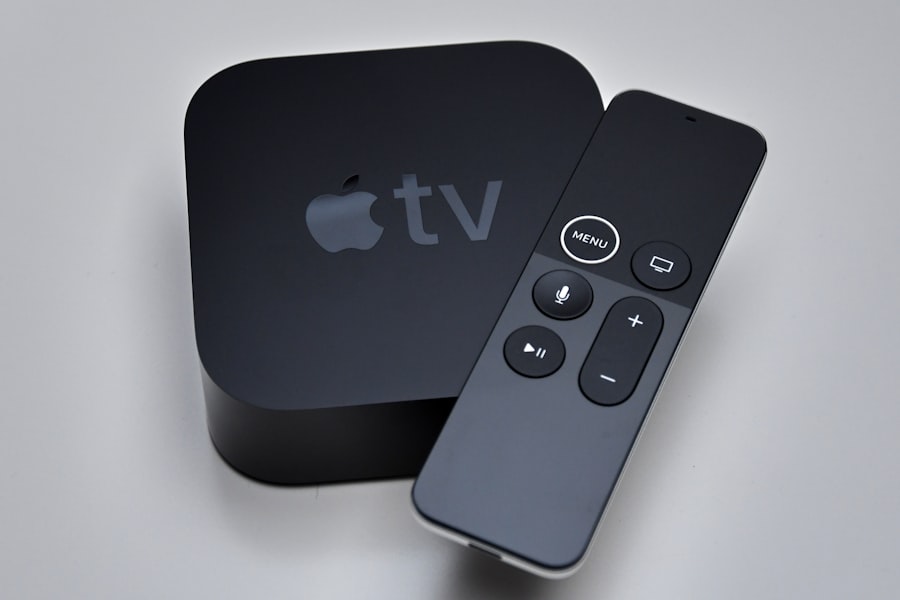
The App Store on Apple TV opens up a world of possibilities beyond traditional streaming services. Users can download a variety of applications ranging from games to fitness apps and educational tools. Accessing the App Store is simple; just navigate to the App Store icon on the home screen and browse through categories or search for specific apps.
Once you find an app that piques your interest, simply click on it for more information and download options. Many apps are free to download, while others may require a one-time purchase or subscription fee. Regular updates ensure that users have access to the latest features and improvements.
Additionally, developers frequently release new applications tailored specifically for the Apple TV platform, expanding the range of available content.
Gaming on Apple TV
Apple TV has emerged as a viable gaming platform thanks to its robust hardware capabilities and access to a growing library of games. The device supports both casual gaming experiences and more immersive titles that take advantage of its powerful graphics capabilities. Users can download games directly from the App Store or subscribe to services like Apple Arcade for access to a curated selection of premium games.
The gaming experience is enhanced by the use of the Siri Remote or compatible game controllers that can be paired via Bluetooth. This flexibility allows for various gameplay styles, whether users prefer simple touch controls or more traditional gamepad experiences. Additionally, many games offer multiplayer options, enabling friends and family members to join in on the fun.
Using AirPlay with Apple TV
AirPlay is a powerful feature that allows users to stream content from their iOS devices or Mac computers directly to their Apple TV. This functionality is particularly useful for sharing photos, videos, or music during gatherings or presentations. To use AirPlay, ensure that both your Apple TV and iOS device are connected to the same Wi-Fi network.
To initiate AirPlay streaming, simply select the content you wish to share on your iPhone or iPad and tap on the AirPlay icon in the control center or within supported apps. From there, choose your Apple TV from the list of available devices. The content will then be mirrored on your television screen in real-time.
This feature also supports screen mirroring for presentations or gaming sessions, providing an engaging way to share experiences with larger audiences.
Customizing settings on Apple TV
Customizing settings on your Apple TV allows you to tailor the device’s functionality according to your preferences. Accessing settings is straightforward; simply navigate to the Settings app on your home screen. Here you will find options for adjusting video resolution, audio output settings, and accessibility features.
For those who prioritize privacy and security, settings related to account management and parental controls are also available. Users can restrict access to certain content based on age ratings or set up password protection for purchases made through the App Store. Additionally, notifications can be customized to minimize distractions while watching content or playing games.
Troubleshooting common issues with Apple TV
Despite its user-friendly design, users may encounter occasional issues with their Apple TV. Common problems include connectivity issues, app crashes, or performance lags. To address connectivity problems, ensure that your Wi-Fi network is functioning correctly and that your Apple TV is within range of your router.
If an app crashes frequently or fails to load properly, try restarting the application or updating it through the App Store. In cases where performance lags occur during streaming or gaming sessions, consider restarting your Apple TV by unplugging it from power for a few seconds before plugging it back in. If issues persist after these troubleshooting steps, consulting Apple’s support website or contacting customer service may provide additional solutions.
Conclusion and final tips for maximizing the potential of Apple TV
In conclusion, Apple TV is a versatile device that offers an extensive range of entertainment options while providing seamless integration with other Apple products and services. By understanding how to set up and navigate its features effectively, users can unlock its full potential for streaming content, gaming, and more. To maximize your experience with Apple TV, consider exploring lesser-known apps in the App Store that cater to specific interests or hobbies.
Regularly check for software updates to ensure optimal performance and access to new features as they become available.
In summary, whether you’re looking for a new way to enjoy movies and shows or seeking an engaging gaming platform for family fun, Apple TV stands out as an exceptional choice in today’s digital landscape.
If you’re considering enhancing your entertainment experience with Apple TV, you might also be interested in understanding the significance of federal holidays and how they can impact your viewing plans. For a comprehensive overview, check out this article on federal holidays, which provides insights into national observances that could influence your schedule and leisure time.
FAQs
What is Apple TV?
Apple TV is a digital media player and microconsole developed by Apple Inc. It allows users to stream video, music, and other content from the internet or local devices to a connected television.
What types of Apple TV devices are available?
Apple offers several versions of Apple TV, including the Apple TV HD and Apple TV 4K models. The 4K model supports higher resolution video and HDR content.
How do I set up Apple TV?
To set up Apple TV, connect it to your TV using an HDMI cable, power it on, and follow the on-screen instructions to connect to Wi-Fi and sign in with your Apple ID.
What streaming services are available on Apple TV?
Apple TV supports a wide range of streaming services, including Apple TV+, Netflix, Hulu, Amazon Prime Video, Disney+, HBO Max, and many others through the App Store.
Can I use Apple TV without an internet connection?
Apple TV requires an internet connection for streaming content and downloading apps. However, you can play content stored locally on your iOS devices via AirPlay without internet.
What is Apple TV+?
Apple TV+ is Apple’s subscription-based streaming service offering original TV shows, movies, and documentaries exclusive to the platform.
Does Apple TV support gaming?
Yes, Apple TV supports gaming through the App Store, and it is compatible with various Bluetooth game controllers for an enhanced gaming experience.
Can I use Apple TV with non-Apple devices?
Yes, Apple TV can be used with any television that has an HDMI port, regardless of the brand. However, some features like AirPlay work best with Apple devices.
How do I control Apple TV?
Apple TV can be controlled using the included Siri Remote, the Apple TV Remote app on iPhone or iPad, or compatible third-party remotes.
Is Apple TV compatible with 4K and HDR content?
The Apple TV 4K model supports 4K resolution and HDR formats such as HDR10 and Dolby Vision for enhanced picture quality.