Now Reading: Maximizing Productivity with Your Apple Laptop
-
01
Maximizing Productivity with Your Apple Laptop
Maximizing Productivity with Your Apple Laptop
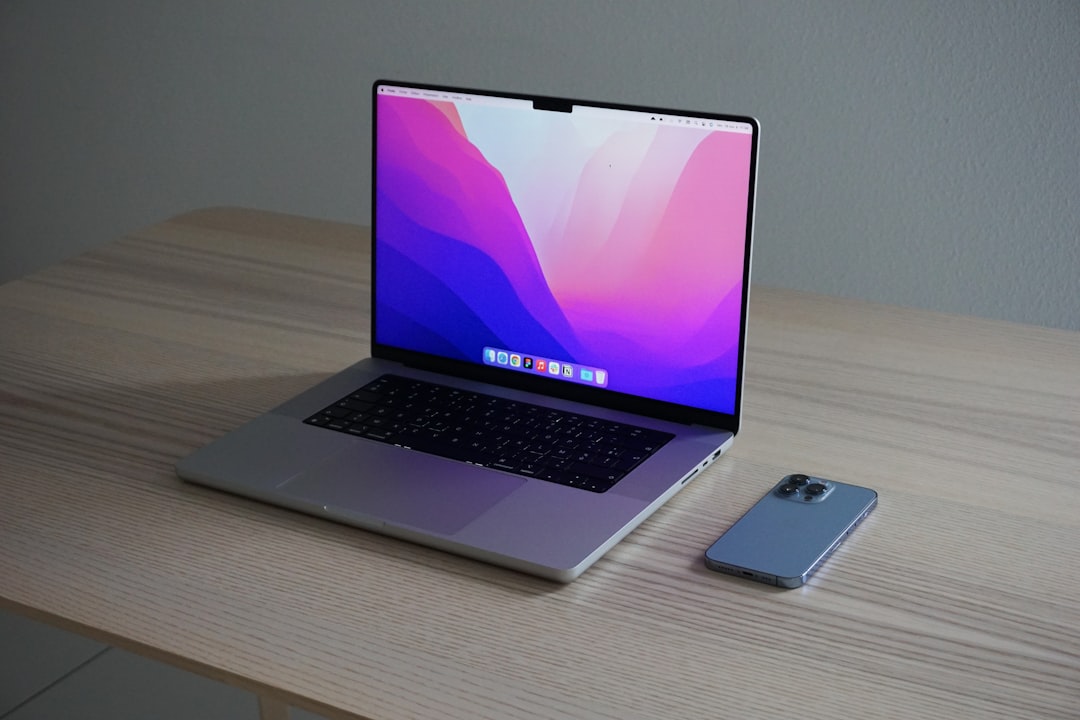
Selecting the appropriate model of a computer or laptop is a critical first step in enhancing productivity. The market offers a plethora of options, each tailored to different user needs. When considering a model, it is essential to evaluate the specifications that align with your tasks.
For instance, if you are engaged in graphic design or video editing, a device equipped with a high-performance processor, ample RAM (at least 16GB), and a dedicated graphics card is paramount. Conversely, for basic tasks such as word processing or web browsing, a more modest configuration may suffice. Additionally, the operating system plays a significant role in user experience.
Windows, macOS, and Linux each have unique features and capabilities. Windows is often favored for its compatibility with a wide range of software applications, while macOS is preferred by creative professionals for its seamless integration with design tools. Linux, on the other hand, appeals to developers and tech enthusiasts due to its open-source nature and customization options.
Ultimately, the right model should not only meet your current requirements but also accommodate future needs as technology evolves.
Key Takeaways
- Choose a laptop model that suits your specific needs and preferences
- Customize your settings to optimize your laptop’s performance and user experience
- Master keyboard shortcuts to navigate your laptop more efficiently
- Utilize multiple desktops to organize and separate your workspaces
- Organize your files and folders to easily access and manage your data
Customizing Your Settings
Once you have chosen the right model, the next step involves customizing your settings to optimize performance and usability. Personalization can significantly enhance your workflow by tailoring the interface to your preferences. Start by adjusting display settings such as resolution and scaling to ensure visual comfort.
A higher resolution can improve clarity, while appropriate scaling can prevent strain on your eyes during prolonged use. Moreover, configuring system preferences such as keyboard shortcuts and accessibility options can streamline your interactions with the device. For instance, enabling features like Night Shift or Dark Mode can reduce eye fatigue during late-night work sessions.
Additionally, customizing your taskbar or dock by pinning frequently used applications allows for quicker access, thereby improving efficiency. Taking the time to personalize these settings can lead to a more enjoyable and productive computing experience.
Mastering Keyboard Shortcuts
Keyboard shortcuts are invaluable tools that can dramatically enhance productivity by reducing reliance on mouse navigation. Mastering these shortcuts allows users to execute commands swiftly, saving precious time during daily tasks. For instance, common shortcuts such as Ctrl+C for copy and Ctrl+V for paste are fundamental yet powerful tools that streamline text manipulation.
Beyond basic commands, delving into application-specific shortcuts can further elevate efficiency. For example, in Microsoft Word, shortcuts like Ctrl+B for bold and Ctrl+Z for undo can significantly expedite document editing processes. Furthermore, many operating systems offer customizable shortcuts that allow users to create personalized commands for frequently used functions.
By investing time in learning and practicing these shortcuts, users can transform their workflow and achieve greater productivity.
Utilizing Multiple Desktops
| Desktop Number | Number of Applications | Productivity Level |
|---|---|---|
| Desktop 1 | 10 | High |
| Desktop 2 | 5 | Medium |
| Desktop 3 | 8 | High |
The ability to utilize multiple desktops is a feature that can greatly enhance organization and focus. This functionality allows users to create separate virtual workspaces for different tasks or projects, minimizing clutter and distractions on the main desktop. For instance, one desktop can be dedicated to work-related applications while another can be reserved for personal use or leisure activities.
To effectively manage multiple desktops, it is essential to establish a clear system for categorizing tasks. Users can assign specific applications or windows to designated desktops based on their relevance to ongoing projects. This separation not only aids in maintaining focus but also reduces the cognitive load associated with switching between various tasks.
By leveraging this feature, individuals can cultivate a more organized and efficient working environment.
Organizing Your Files and Folders
A well-organized file system is crucial for maintaining productivity and ensuring easy access to important documents. Establishing a logical hierarchy of folders can facilitate efficient navigation and retrieval of files. Begin by creating broad categories that reflect the nature of your work or personal projects, such as “Work,” “Personal,” or “School.” Within these categories, further subdivide into specific topics or projects to create a comprehensive structure.
In addition to folder organization, implementing a consistent naming convention for files can enhance searchability. Using descriptive titles that include relevant dates or keywords allows for quick identification of documents without extensive searching. Regularly reviewing and decluttering your file system is also essential; archiving outdated files or deleting unnecessary documents can prevent digital clutter from accumulating over time.
Managing Notifications and Distractions
Customizing Notification Settings
To combat this issue, consider customizing notification settings for each application based on priority levels. For instance, enabling notifications for essential work-related emails while silencing less critical alerts can help maintain concentration.
Minimizing Interruptions
Additionally, utilizing “Do Not Disturb” modes during focused work sessions can further minimize interruptions.
Creating Boundaries
Establishing designated times for checking messages or social media can also help create boundaries between work and personal life, fostering a healthier balance.
Optimizing Battery Life
For those who rely on portable devices, optimizing battery life is crucial for uninterrupted productivity. Several strategies can be employed to extend battery longevity throughout the day. First and foremost, adjusting screen brightness to an appropriate level can significantly reduce power consumption.
Lowering brightness not only conserves battery life but also minimizes eye strain during extended use. Moreover, managing background applications is essential for optimizing battery performance. Closing unnecessary programs running in the background can free up system resources and reduce power drain.
Additionally, utilizing power-saving modes available in most operating systems can help extend battery life by limiting resource-intensive processes when the device is not plugged in.
Using Productivity Apps and Tools
Incorporating productivity apps and tools into your workflow can significantly enhance efficiency and organization. Numerous applications cater to various aspects of productivity, from task management to note-taking and time tracking. For instance, tools like Trello or Asana facilitate project management by allowing users to create task lists, set deadlines, and collaborate with team members seamlessly.
Furthermore, note-taking applications such as Evernote or Microsoft OneNote enable users to capture ideas and information quickly. These tools often come equipped with features like tagging and search functionality, making it easy to retrieve notes when needed. By leveraging these productivity apps, individuals can streamline their workflows and stay organized amidst the demands of daily tasks.
Setting Up a Comfortable Workspace
Creating a comfortable workspace is essential for fostering productivity and well-being during extended periods of computer use. Ergonomics plays a pivotal role in ensuring that your setup promotes good posture and minimizes physical strain. Invest in an adjustable chair that provides adequate lumbar support and allows for proper alignment with your desk height.
Additionally, consider the arrangement of your workspace elements. Positioning your monitor at eye level can prevent neck strain while using the keyboard at a comfortable height reduces wrist discomfort. Incorporating elements such as adequate lighting and personal touches like plants or artwork can also contribute to a positive working environment that enhances focus and creativity.
Implementing Time Management Techniques
Effective time management techniques are crucial for maximizing productivity and achieving goals efficiently.
This approach helps maintain concentration while preventing burnout by incorporating regular rest periods.
Another valuable technique is prioritization through methods like the Eisenhower Matrix, which categorizes tasks based on urgency and importance. By identifying high-priority tasks that require immediate attention versus those that can be scheduled later, individuals can allocate their time more effectively. Implementing these time management strategies empowers users to take control of their schedules and accomplish tasks with greater efficiency.
Backing Up and Syncing Your Data
Data loss can be catastrophic for both personal and professional endeavors; therefore, implementing a robust backup strategy is essential for safeguarding important information. Regularly backing up data ensures that files are protected against hardware failures or accidental deletions. Utilizing cloud storage solutions such as Google Drive or Dropbox allows for automatic syncing of files across devices while providing an additional layer of security.
Moreover, establishing a routine for backing up data—whether daily, weekly, or monthly—can help maintain peace of mind regarding data integrity. Additionally, employing external hard drives or network-attached storage (NAS) devices offers an offline backup option that complements cloud solutions. By prioritizing data backup and synchronization practices, individuals can mitigate risks associated with data loss effectively.
In summary, enhancing productivity through technology involves several key strategies: selecting the right model tailored to user needs; customizing settings for optimal performance; mastering keyboard shortcuts; utilizing multiple desktops; organizing files systematically; managing notifications; optimizing battery life; leveraging productivity apps; creating comfortable workspaces; implementing effective time management techniques; and ensuring data backup and synchronization practices are in place. By adopting these practices, individuals can cultivate an efficient working environment that fosters creativity and success in their endeavors.
If you’re in the market for a new laptop, you may want to check out the latest article on Amazon Careers in Tampa. This article discusses job opportunities at Amazon’s Tampa location, which could potentially help you save up for that new Apple laptop you’ve been eyeing. With Presidents’ Day and Easter just around the corner, now might be the perfect time to start looking for a new job and upgrading your tech gear.
FAQs
What is an Apple laptop?
An Apple laptop is a portable computer manufactured by Apple Inc. It runs on the macOS operating system and is known for its sleek design, high-quality display, and performance.
What are the different models of Apple laptops?
Apple offers a range of laptop models, including the MacBook Air, MacBook Pro, and the 16-inch MacBook Pro. Each model comes with different specifications and features to cater to different user needs.
What are the key features of Apple laptops?
Key features of Apple laptops include Retina display for high-resolution visuals, long battery life, powerful processors, and a user-friendly operating system. They also come with built-in apps for creativity, productivity, and entertainment.
What are the advantages of using an Apple laptop?
Some advantages of using an Apple laptop include its premium build quality, seamless integration with other Apple devices, strong customer support, and a wide range of software and apps available on the App Store.
Are Apple laptops suitable for gaming and professional use?
While Apple laptops are not primarily designed for gaming, the MacBook Pro models with dedicated graphics cards can handle gaming to a certain extent. They are popular among professionals in fields such as design, photography, and video editing due to their performance and display quality.
What is the price range of Apple laptops?
The price of Apple laptops varies depending on the model and specifications. The MacBook Air is typically the most affordable option, while the MacBook Pro and 16-inch MacBook Pro are priced higher due to their advanced features and performance.