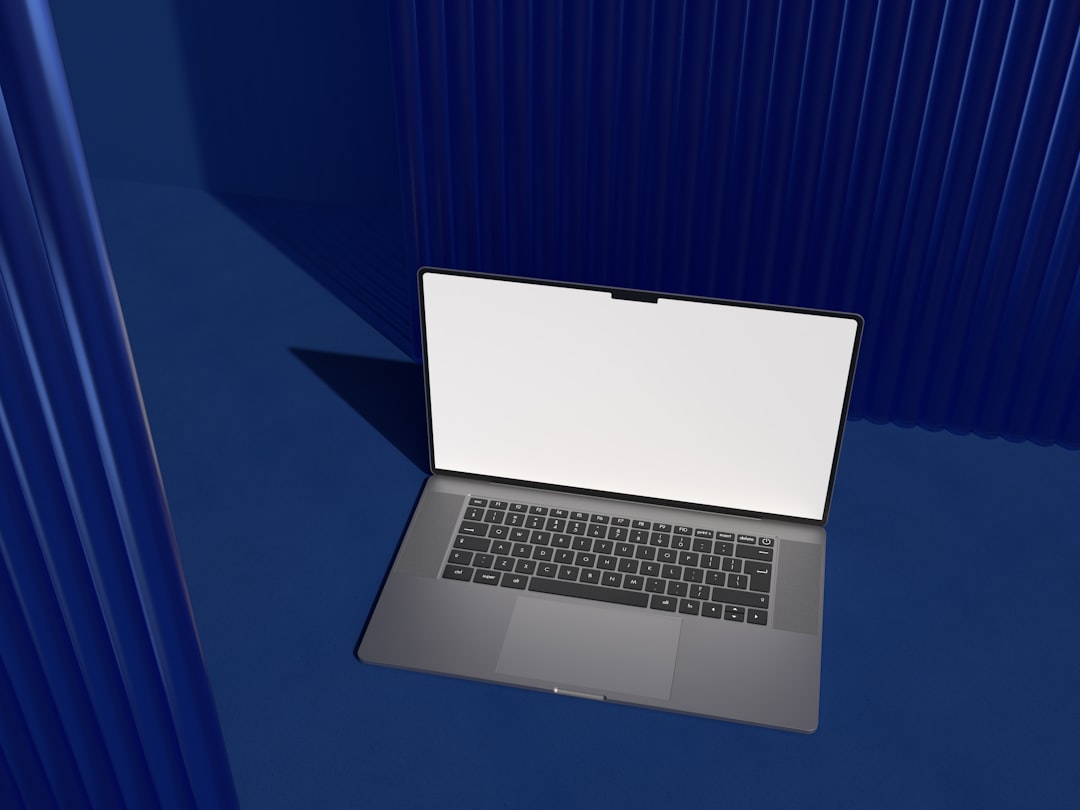
Now Reading: Top Windows Laptops for Productivity and Performance
-
01
Top Windows Laptops for Productivity and Performance
Top Windows Laptops for Productivity and Performance
In the contemporary digital landscape, the demand for high-performance laptops has surged, particularly among professionals seeking to enhance their productivity. Windows laptops have emerged as a cornerstone in this realm, offering a diverse range of options tailored to meet various user needs. These devices are not merely tools for basic tasks; they are sophisticated machines designed to handle complex applications, multitasking, and demanding workloads.
The integration of powerful processors, ample RAM, and high-resolution displays has transformed the way individuals approach their work, enabling seamless transitions between tasks and fostering an environment conducive to creativity and efficiency. The significance of selecting the right Windows laptop cannot be overstated. With an array of brands and models available, each boasting unique features and specifications, making an informed choice is paramount.
This article delves into the essential factors to consider when choosing a Windows laptop for productivity, followed by an exploration of some of the top contenders in the market. By understanding the capabilities and advantages of these devices, users can align their selection with their specific productivity requirements.
Key Takeaways
- When choosing a Windows laptop for productivity, consider factors such as processor speed, RAM, storage, and battery life.
- The Microsoft Surface Laptop 4 offers a powerful option for productivity with its high-resolution display, long battery life, and fast performance.
- The Dell XPS 13 is a sleek and reliable choice for productivity, featuring a compact design, vibrant display, and strong performance.
- The HP Spectre x360 is a versatile and high-performance Windows laptop, with its 2-in-1 design, long battery life, and powerful processor options.
- The Lenovo ThinkPad X1 Carbon is a business-focused laptop for productivity, known for its durable build, excellent keyboard, and long battery life.
Factors to Consider When Choosing a Windows Laptop for Productivity
When embarking on the journey to select a Windows laptop, several critical factors warrant consideration. First and foremost is the processor. The central processing unit (CPU) serves as the brain of the laptop, dictating its speed and efficiency.
Modern laptops typically feature Intel Core i5 or i7 processors or their AMD equivalents, which provide robust performance for multitasking and resource-intensive applications. Another vital aspect is memory capacity, commonly referred to as RAM. A minimum of 8GB is recommended for smooth operation, while 16GB or more is ideal for professionals who engage in heavy multitasking or utilize demanding software such as video editing tools or graphic design applications.
Additionally, storage type and capacity play a crucial role in overall performance. Solid-state drives (SSDs) are preferred over traditional hard disk drives (HDDs) due to their faster read/write speeds, which significantly enhance boot times and application loading. Display quality is equally important, especially for those who spend extended hours working on their laptops.
A high-resolution screen with vibrant colors and good viewing angles can reduce eye strain and improve overall user experience. Furthermore, battery life should not be overlooked; a laptop that can sustain prolonged usage without frequent recharging is essential for professionals on the go.
Microsoft Surface Laptop 4: A Powerful Option for Productivity
The Microsoft Surface Laptop 4 stands out as a formidable contender in the realm of productivity-focused Windows laptops. With its sleek design and premium build quality, it exudes professionalism while delivering exceptional performance. Equipped with Intel’s 11th generation processors or AMD Ryzen options, this laptop offers impressive speed and efficiency, making it suitable for a wide range of tasks from document editing to graphic design.
One of the standout features of the Surface Laptop 4 is its stunning PixelSense touchscreen display, available in both 13.5-inch and 15-inch variants. The high-resolution screen provides vibrant colors and sharp details, enhancing the visual experience for users engaged in creative work. Additionally, the laptop boasts a comfortable keyboard with ample travel distance, allowing for an enjoyable typing experience during long work sessions.
Battery life is another highlight of the Surface Laptop 4, with up to 19 hours of usage on a single charge, ensuring that users can remain productive throughout the day without being tethered to a power outlet. Coupled with its lightweight design, this laptop is an excellent choice for professionals who require portability without compromising on performance.
Dell XPS 13: A Sleek and Reliable Choice for Productivity
| Aspect | Details |
|---|---|
| Processor | 11th Gen Intel Core i5 or i7 |
| RAM | 8GB or 16GB LPDDR4x |
| Storage | 256GB, 512GB, or 1TB SSD |
| Display | 13.4-inch FHD+ or 4K UHD+ InfinityEdge display |
| Battery Life | Up to 14 hours |
| Operating System | Windows 10 Home or Pro |
| Ports | 2 Thunderbolt 4 ports, 1 USB-C 3.1 port, microSD card reader, headphone jack |
| Dimensions | 11.64 x 7.82 x 0.58 inches |
| Weight | Starting at 2.64 lbs |
The Dell XPS 13 has garnered acclaim for its combination of elegance and functionality, making it a popular choice among professionals seeking a reliable Windows laptop. Its InfinityEdge display maximizes screen real estate while maintaining a compact form factor, allowing users to immerse themselves in their work without distractions. The laptop is powered by Intel’s latest processors, ensuring swift performance across various applications.
One of the key advantages of the XPS 13 is its build quality. Crafted from premium materials such as aluminum and carbon fiber, it not only looks sophisticated but also withstands the rigors of daily use. The keyboard is backlit and features responsive keys that enhance typing comfort, making it suitable for extended work sessions.
In terms of connectivity, the XPS 13 offers multiple Thunderbolt 4 ports, enabling fast data transfer and compatibility with various peripherals. The laptop’s battery life is commendable as well, providing up to 12 hours of usage on a single charge. This combination of performance, design, and durability positions the Dell XPS 13 as an excellent option for professionals seeking a dependable Windows laptop.
HP Spectre x360: Versatile and High-Performance Windows Laptop
The HP Spectre x360 is a versatile 2-in-1 laptop that seamlessly transitions between laptop and tablet modes, catering to diverse productivity needs.
The device is powered by Intel’s latest processors, ensuring robust performance for multitasking and demanding applications.
One of the standout features of the Spectre x360 is its vibrant OLED display option, which delivers stunning visuals with deep blacks and vivid colors. This makes it an ideal choice for creative professionals who require accurate color representation in their work. The touchscreen functionality adds an extra layer of convenience, allowing users to interact with applications intuitively.
Battery life is another strong point for the Spectre x360, offering up to 15 hours of usage on a single charge. Additionally, HP’s fast charging technology allows users to quickly recharge their device when time is of the essence. With its combination of performance, versatility, and aesthetic appeal, the HP Spectre x360 stands out as a top-tier choice for productivity-focused individuals.
Lenovo ThinkPad X1 Carbon: A Business-Focused Laptop for Productivity
The Lenovo ThinkPad X1 Carbon has long been synonymous with business productivity due to its robust build quality and exceptional performance capabilities. Designed specifically for professionals, this laptop features a lightweight carbon-fiber chassis that ensures durability without sacrificing portability. The X1 Carbon is powered by Intel’s latest processors, providing ample power for demanding tasks.
One of the defining characteristics of the ThinkPad series is its renowned keyboard quality. The X1 Carbon features a spill-resistant keyboard with tactile feedback that enhances typing comfort during long work sessions. Additionally, it includes advanced security features such as a fingerprint reader and IR camera for facial recognition, ensuring that sensitive data remains protected.
The display options available for the X1 Carbon include high-resolution panels with Dolby Vision support, delivering stunning visuals that are ideal for presentations or content creation. Battery life is impressive as well, with up to 15 hours of usage on a single charge. For professionals seeking a reliable and secure laptop tailored for business environments, the Lenovo ThinkPad X1 Carbon remains an outstanding choice.
ASUS ZenBook 13: Lightweight and Powerful Windows Laptop for Productivity
The ASUS ZenBook 13 exemplifies the perfect balance between portability and performance in a compact form factor. Weighing just under three pounds, this laptop is designed for professionals who are frequently on the move yet require robust computing power. It features Intel’s latest processors and offers configurations with up to 16GB of RAM, ensuring smooth multitasking capabilities.
The ZenBook 13 boasts an impressive OLED display that provides vibrant colors and deep contrasts, making it suitable for creative tasks such as photo editing or graphic design. The ultra-slim bezels maximize screen space while maintaining a lightweight profile.
Battery life is another highlight of this device; users can expect up to 14 hours of usage on a single charge. The inclusion of multiple USB-C ports allows for fast data transfer and charging options. For those seeking an affordable yet powerful Windows laptop that excels in portability without compromising performance, the ASUS ZenBook 13 is an excellent option.
Acer Swift 3: Affordable and Efficient Windows Laptop for Productivity
The Acer Swift 3 presents an attractive option for budget-conscious professionals who do not want to compromise on performance. This laptop features AMD Ryzen or Intel Core processors that deliver solid performance across various applications while maintaining an affordable price point. Its lightweight design makes it easy to carry around without feeling cumbersome.
The Swift 3’s display offers good color accuracy and brightness levels suitable for everyday tasks such as document editing or web browsing. The keyboard is comfortable to type on, making it suitable for extended work sessions without causing fatigue. Additionally, Acer has incorporated a fingerprint reader for added security.
Battery life is commendable at approximately 11 hours on a single charge, allowing users to work throughout the day without needing frequent recharges. With its combination of affordability and efficiency, the Acer Swift 3 stands out as an excellent choice for students or professionals seeking reliable performance without breaking the bank.
Razer Blade 15: A Gaming Laptop with Strong Productivity Capabilities
While primarily marketed as a gaming laptop, the Razer Blade 15 has proven itself as a formidable contender in productivity circles due to its powerful hardware specifications. Featuring Intel’s latest processors and dedicated NVIDIA graphics cards, this laptop excels in both gaming performance and productivity tasks such as video editing or graphic design. The Razer Blade 15 boasts a stunning high-refresh-rate display that provides smooth visuals during gaming sessions while also being suitable for creative work requiring precise color accuracy.
The build quality is exceptional; crafted from aluminum with a sleek design that appeals to both gamers and professionals alike. Battery life may not be as extensive as some competitors at around six hours under heavy use; however, its performance capabilities make it worth considering for those who require both gaming prowess and productivity functionality in one device. For users seeking versatility in their computing experience without sacrificing power or aesthetics, the Razer Blade 15 presents an intriguing option.
HP Envy 15: A Stylish and High-Performance Windows Laptop for Productivity
The HP Envy 15 combines style with high-performance capabilities tailored for productivity-focused users. Its sleek aluminum chassis exudes sophistication while housing powerful hardware options including Intel’s latest processors and dedicated NVIDIA graphics cards suitable for demanding tasks such as video editing or graphic design. One notable feature of the Envy 15 is its vibrant AMOLED display that delivers stunning visuals with deep blacks and vivid colors—ideal for creative professionals who require accurate color representation in their work.
The keyboard is backlit with responsive keys designed to enhance typing comfort during long sessions. Battery life is impressive at approximately 12 hours on a single charge; coupled with fast charging capabilities ensures users can remain productive throughout their day without being tethered to an outlet constantly. For those seeking a stylish yet powerful Windows laptop capable of handling demanding workloads efficiently while maintaining aesthetic appeal—the HP Envy 15 stands out as an excellent choice.
Finding the Best Windows Laptop for Your Productivity and Performance Needs
In conclusion, selecting the right Windows laptop tailored specifically towards productivity requires careful consideration of various factors including processing power, memory capacity, display quality, battery life among others—each playing an integral role in enhancing user experience while maximizing efficiency during work tasks. From premium options like Microsoft Surface Laptop 4 or Dell XPS 13 offering exceptional performance capabilities down through budget-friendly alternatives such as Acer Swift 3—there exists an array of choices catering towards diverse user needs across different price points ensuring everyone can find something suitable based upon their individual requirements. Ultimately understanding what features matter most based upon personal preferences will guide users towards making informed decisions leading them towards finding their ideal productivity companion within today’s competitive market landscape filled with innovative technology solutions designed specifically around enhancing overall workflow efficiency!
If you’re in the market for a new Windows laptop, you may also be interested in learning about federal government holidays and how they may impact your work schedule. Check out this informative article on federal government holidays to stay informed.
FAQs
What are the advantages of using a Windows laptop?
Windows laptops offer a wide range of software compatibility, a variety of hardware options, and a familiar user interface for many users. They also have a large selection of productivity and gaming software available.
What are the key features to consider when buying a Windows laptop?
When buying a Windows laptop, it’s important to consider the processor, RAM, storage capacity, display quality, battery life, and portability. Additionally, consider the build quality and keyboard and trackpad comfort.
How do I choose the right Windows laptop for my needs?
To choose the right Windows laptop, consider your specific needs such as the intended use (e.g., work, gaming, or multimedia), budget, and desired features. Research different models and read reviews to find the best fit for your requirements.
What are some common issues with Windows laptops?
Common issues with Windows laptops include software crashes, driver compatibility problems, and performance slowdowns over time. Additionally, hardware issues such as battery degradation and keyboard or trackpad malfunctions can occur.
How can I maintain and optimize the performance of my Windows laptop?
To maintain and optimize the performance of your Windows laptop, regularly update the operating system and drivers, uninstall unnecessary software, run antivirus scans, and manage startup programs. Additionally, consider upgrading hardware components such as RAM or storage for improved performance.