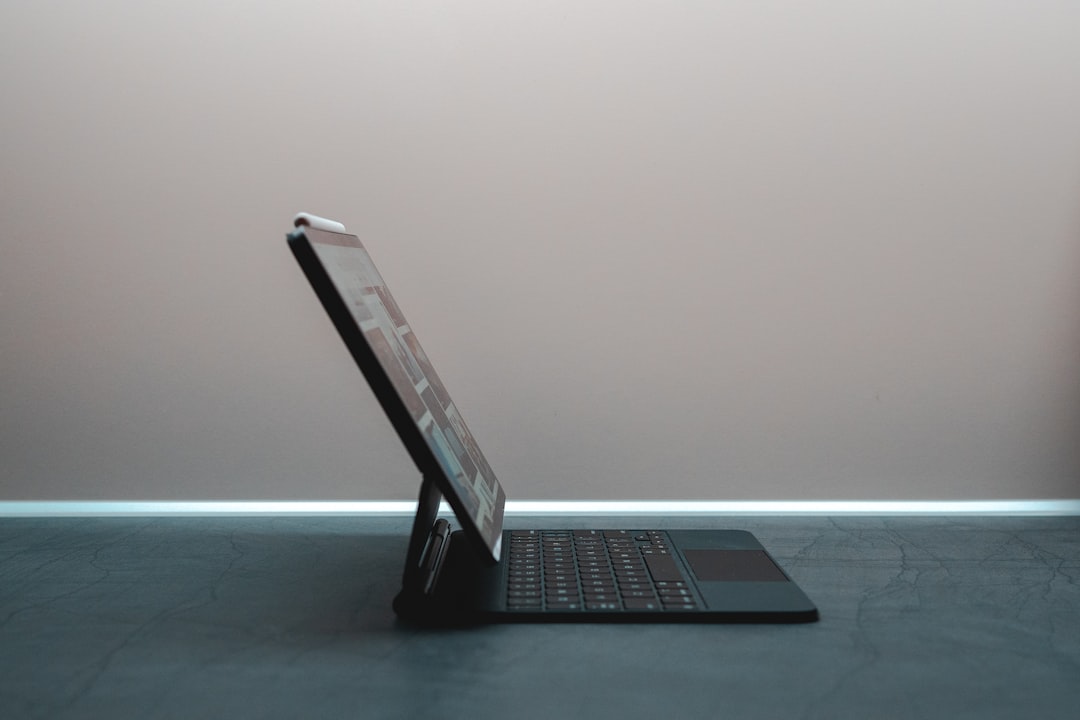
Now Reading: Exploring the Versatility of HP Pavilion x360
-
01
Exploring the Versatility of HP Pavilion x360
Exploring the Versatility of HP Pavilion x360

The HP Pavilion x360 is a versatile 2-in-1 laptop that has garnered attention for its blend of performance, design, and functionality. This device is engineered to cater to a wide range of users, from students to professionals, offering a seamless transition between laptop and tablet modes. With its robust features and stylish aesthetics, the Pavilion x360 stands out in a crowded market of convertible laptops.
It is designed to meet the demands of modern computing, whether for work, entertainment, or creative pursuits. Equipped with the latest technology, the HP Pavilion x360 aims to provide an exceptional user experience. The device is powered by Intel processors, ensuring efficient performance for multitasking and demanding applications.
Additionally, its sleek design and lightweight build make it an attractive option for those who prioritize portability without compromising on functionality. This article delves into the various aspects of the HP Pavilion x360, exploring its design, performance, and features that make it a compelling choice for users seeking versatility in their computing devices.
Key Takeaways
- The HP Pavilion x360 is a versatile 2-in-1 laptop with a 360-degree hinge for multiple modes of use.
- The design and build quality of the HP Pavilion x360 is sleek and durable, making it a stylish and reliable device.
- The laptop features a vibrant display and responsive touchscreen capabilities, enhancing the user experience.
- With impressive performance and processing power, the HP Pavilion x360 is suitable for both productivity and entertainment tasks.
- The device offers excellent battery life and portability, making it convenient for on-the-go use.
Design and Build Quality
The design of the HP Pavilion x360 is both modern and functional, characterized by its sleek lines and premium materials. The chassis is constructed from high-quality plastic with a brushed metal finish, giving it a sophisticated appearance while maintaining durability. The device is available in various colors, allowing users to choose a style that reflects their personality.
The hinge mechanism is particularly noteworthy; it allows for smooth transitions between laptop and tablet modes, enhancing the overall user experience. In terms of build quality, the Pavilion x360 is designed to withstand daily wear and tear. The keyboard features a comfortable layout with well-spaced keys that provide tactile feedback, making typing a pleasurable experience.
The touchpad is responsive and supports multi-touch gestures, further enhancing usability. Additionally, the device’s lightweight nature—typically weighing around 3.5 pounds—makes it easy to carry around, whether commuting to work or traveling for leisure.
Display and Touchscreen Capabilities

The HP Pavilion x360 boasts a vibrant display that enhances visual experiences across various applications. Most models feature a Full HD (1920 x 1080) IPS touchscreen display, which delivers sharp images and accurate color reproduction. The wide viewing angles ensure that content remains clear and vivid from different perspectives, making it ideal for collaborative work or sharing media with friends.
The touchscreen capabilities of the Pavilion x360 are particularly impressive. The device supports multi-touch gestures, allowing users to navigate through applications with ease. Whether scrolling through documents or zooming in on images, the touch responsiveness is smooth and intuitive.
This feature is especially beneficial for creative professionals who rely on precision when using design software or digital art applications. Furthermore, the display’s anti-glare coating minimizes reflections, making it suitable for use in various lighting conditions.
Performance and Processing Power
| Metrics | Data |
|---|---|
| CPU Clock Speed | 3.2 GHz |
| RAM Capacity | 16 GB |
| GPU Memory | 4 GB |
| Storage Type | SSD |
| Processing Cores | 8 cores |
Under the hood, the HP Pavilion x360 is equipped with powerful Intel processors that cater to a range of performance needs. Users can choose from various configurations, including Intel Core i3, i5, or i7 processors, depending on their requirements. This flexibility allows for efficient multitasking and smooth operation of demanding applications such as video editing software or graphic design tools.
In addition to its processing power, the Pavilion x360 offers ample RAM options—typically ranging from 8GB to 16GB—ensuring that users can run multiple applications simultaneously without experiencing lag. The inclusion of solid-state drives (SSDs) further enhances performance by providing faster boot times and quicker access to files compared to traditional hard drives. Overall, the combination of powerful hardware components makes the HP Pavilion x360 a reliable choice for both casual users and professionals seeking robust performance.
Versatility in Modes of Use
One of the standout features of the HP Pavilion x360 is its versatility in modes of use. The device can easily transition between four distinct modes: laptop, tablet, tent, and stand mode. This adaptability allows users to select the most suitable configuration for their current task or environment.
For instance, laptop mode is ideal for productivity tasks such as writing or coding, while tablet mode offers a more relaxed experience for browsing or reading. Tent mode is particularly useful for presentations or watching videos, as it provides stability while occupying minimal space.
This flexibility makes the Pavilion x360 an excellent choice for individuals who require a device that can adapt to various scenarios throughout their day.
Battery Life and Portability
Battery life is a critical consideration for any portable device, and the HP Pavilion x360 does not disappoint in this regard. Depending on usage patterns and specific configurations, users can expect battery life ranging from 8 to 12 hours on a single charge. This longevity ensures that users can work or enjoy entertainment without constantly worrying about finding an outlet.
Portability is another key aspect of the Pavilion x360’s design. Weighing approximately 3.5 pounds and featuring a slim profile, this device is easy to carry in a backpack or briefcase. Its lightweight nature makes it an excellent companion for students attending classes or professionals traveling for business meetings.
The combination of impressive battery life and portability positions the HP Pavilion x360 as an ideal choice for those who are always on the go.
Connectivity and Expansion Options
The HP Pavilion x360 offers a comprehensive array of connectivity options that cater to modern users’ needs. It typically includes multiple USB ports—both Type-A and Type-C—allowing for easy connection to peripherals such as external drives, mice, and other devices. Additionally, an HDMI port enables users to connect the laptop to external displays or projectors for presentations or entertainment purposes.
Wireless connectivity options are also robust, with support for Wi-Fi 6 (802.11ax) providing faster internet speeds and improved performance in crowded environments. Bluetooth capabilities allow users to connect wireless accessories such as headphones or keyboards seamlessly. Furthermore, some models may include an SD card reader for easy file transfer from cameras or other devices.
This extensive range of connectivity options ensures that users can easily integrate the Pavilion x360 into their existing tech ecosystem.
Audio and Entertainment Features
The audio capabilities of the HP Pavilion x360 are designed to enhance the overall entertainment experience. The device typically features dual speakers tuned by B&O (Bang & Olufsen), delivering rich sound quality that elevates music listening and movie watching experiences. The audio output is clear and balanced, making it suitable for various media consumption scenarios.
This combination of quality audio and visual elements makes it an excellent choice for streaming services or gaming sessions. Furthermore, the inclusion of a built-in webcam with an integrated microphone ensures that video calls are crisp and clear, facilitating effective communication during remote meetings or virtual gatherings.
Productivity and Creativity Tools
The HP Pavilion x360 comes pre-installed with Windows operating system versions that include essential productivity tools such as Microsoft Office Suite (trial version) and various creative applications tailored for different user needs. This software integration allows users to hit the ground running upon unboxing their device. For creative professionals, the touchscreen functionality combined with stylus support (in select models) opens up new avenues for artistic expression.
Users can utilize drawing applications or graphic design software with precision and ease, making it an excellent tool for artists and designers alike. Additionally, features like HP’s Command Center allow users to optimize performance settings based on their current tasks—whether gaming or content creation—ensuring that they can maximize productivity without compromising on performance.
Security and Privacy Features
Security is paramount in today’s digital landscape, and the HP Pavilion x360 incorporates several features designed to protect user data and privacy. Many models come equipped with a fingerprint reader that allows for secure login without needing passwords—a convenient feature that enhances security while streamlining access. Additionally, HP provides built-in privacy features such as webcam shutters that physically block the camera when not in use, preventing unauthorized access during video calls or recordings.
The inclusion of Windows Hello facial recognition technology further enhances security by allowing users to log in using facial recognition instead of traditional passwords. These security measures ensure that users can work confidently without compromising their personal information.
Conclusion and Final Thoughts
In summary, the HP Pavilion x360 stands out as a versatile 2-in-1 laptop that effectively combines performance, design, and functionality into one cohesive package. Its sleek design and robust build quality make it an attractive option for users seeking both style and durability. With impressive display capabilities and responsive touchscreen functionality, it caters well to both productivity tasks and entertainment needs.
The device’s powerful processing options ensure smooth operation across various applications while its adaptability in modes of use enhances its versatility for different scenarios. Coupled with excellent battery life and portability features, the Pavilion x360 is well-suited for individuals on the go. Connectivity options are abundant, allowing seamless integration with other devices while audio quality enhances entertainment experiences significantly.
Furthermore, productivity tools and security features ensure that users can work efficiently while keeping their data safe. Overall, the HP Pavilion x360 represents an excellent investment for anyone looking for a reliable 2-in-1 laptop that meets diverse computing needs without compromising on quality or performance.
If you are considering purchasing an HP Pavilion x360, you may also be interested in reading about forecasting Amazon stock values for the coming year. This article provides valuable insights into the potential growth and performance of Amazon, a company that offers a wide range of products including laptops like the HP Pavilion x360. Check out the article here for more information.
FAQs
What is the HP Pavilion x360?
The HP Pavilion x360 is a line of convertible 2-in-1 laptops that can be used as both a traditional laptop and a tablet. It features a 360-degree hinge that allows the screen to be rotated and used in various modes.
What are the key features of the HP Pavilion x360?
The HP Pavilion x360 typically features a touchscreen display, Intel Core processors, Windows operating system, and a variety of ports for connectivity. It also often includes a stylus for drawing and note-taking.
What are the different modes of the HP Pavilion x360?
The HP Pavilion x360 can be used in laptop mode for traditional computing, tent mode for presentations or watching videos, stand mode for touchscreen interaction, and tablet mode for on-the-go use.
What are the available screen sizes for the HP Pavilion x360?
The HP Pavilion x360 is available in various screen sizes, typically ranging from 11 inches to 15 inches, catering to different user preferences and needs.
What are the benefits of using a convertible laptop like the HP Pavilion x360?
Convertible laptops like the HP Pavilion x360 offer versatility and flexibility, allowing users to switch between laptop and tablet modes based on their needs. This makes it suitable for a wide range of tasks, from productivity to entertainment.